Ahrefs crawled more than a million domains and found broken 3XX redirect chains on 95.2% of them, a missing or empty meta description on 72.9%, and — the one that actually moves rankings — 66.2% of sites had important pages surviving on a single internal dofollow link (Ahrefs, 2024). Most of those faults aren’t content problems. They’re architecture problems.
That distinction matters because it changes what you fix first. A page with excellent content sitting six clicks deep, reachable by one weak internal link, behind a parameter that spawns forty near-duplicate URLs, will underperform a mediocre page that’s structured to be found. A site architecture audit is how you find those pages before they quietly drain your crawl budget and your revenue. This guide covers the ten structural faults worth auditing for, why each one costs you, and exactly how to fix it.
- Sale!


SEO Content Audit
Original price was: 1999,00 €.1799,00 €Current price is: 1799,00 €. Select options - Sale!
Search Rankings and Traffic Losses Audit
Original price was: 3500,00 €.2999,00 €Current price is: 2999,00 €. Select options - Sale!
Full-Scale Professional SEO Audit
Original price was: 5299,00 €.4999,00 €Current price is: 4999,00 €. Select options
Why a Site Architecture Audit Comes Before Content and Links
Site structure is the layer Google reads before it evaluates a single word of your copy. A clean hierarchy tells Googlebot which pages are important, how they relate, and where link equity should flow. A messy one sends contradictory signals — and contradictory signals get resolved against you.
The stakes rose in the last year. AI crawlers that feed generative results are more selective than classic Googlebot, and most of them don’t execute JavaScript at all — tests of ChatGPT, Claude, and others found none rendered client-side content (Search Engine Land, 2026). If your structure and internal links depend on JavaScript to exist, those systems never see them. Structure is now the price of admission to two indexes, not one.
A site architecture audit runs through four categories: directory hierarchy, URL quality, crawlability patterns, and link integrity. The ten faults below map to those four. Work them in the priority order given at the end — sequence changes the return.
This is the diagnostic layer of a full technical SEO program, and it’s where a full-scale professional SEO audit starts before anyone touches on-page work.
Fault 1: A Directory Structure That Doesn’t Match the Content Hierarchy
When categories, subcategories, and supporting pages scatter across flat or inconsistent folder paths, both users and crawlers lose the map. A logical directory structure mirrors your topical clusters: the homepage at the top, category pages one level down, individual pages a level below that. Pages nested inside a category folder inherit topical context from that folder — Google reads /running-shoes/womens-trail/ as semantically tied to running shoes. Orphaned paths inherit nothing.
How to audit it: Crawl with Screaming Frog and open the Tree View in the Site Structure report. Flag any page living outside its logical silo or sitting at a path with no parent-child relationship to its topic. Cross-reference the live URL structure against the intended information architecture and mark every mismatch.
How to fix it: Restructure paths to match the topical hierarchy, 301-redirect old paths to the new canonicals, and update internal links so the silo reinforces itself — category pages link down to their children, supporting pages link back up to the hub. The internal-linking half of this is a project in its own right; the sibling internal linking audit covers the twelve faults that break equity flow.
Fault 2: Crawl Depth That Buries Revenue Pages
Ahrefs’ guidance is blunt: pages more than six clicks from the homepage receive less link equity, because link value diminishes with every hop (Ahrefs, 2026). Semrush sets the practical target tighter — keep important content within three clicks (Semrush, Site Audit documentation). The gap between those two numbers is your working range: three is the goal, six is the point where a page is effectively abandoned.
Depth isn’t arbitrary. It reflects how crawl budget gets allocated and how internal PageRank distributes across a hierarchy. A page buried at level five gets crawled less often and treated as lower priority regardless of how good the content is.
How to audit it: In Screaming Frog, sort by the Crawl Depth column. In Semrush Site Audit, open the Internal Linking report and filter for pages deeper than three clicks. Then sort the flagged list by organic traffic and revenue value — the highest-value buried page is the first fix, not the deepest one.
How to fix it: Flatten where you can. Consolidate thin intermediate category levels, add deep high-value pages to primary navigation or hub-page link lists, and build contextual internal links from high-authority pages down to the surfaced content. Pagination that splits listings across dozens of deep pages is a separate priority — treat it as its own review.
Fault 3: Ecommerce Products Without a Consistent Subfolder
Products scattered across root-level or inconsistent paths create competing crawl signals and dilute the topical authority of the category pages above them. Products should live under one dedicated subfolder — usually /products/ or /shop/ — with categories forming the branches above.
Shopify enforces this with fixed /products/ and /collections/ prefixes. WooCommerce and custom builds drift, especially after an app install or theme migration generates a new URL pattern nobody signed off on. Faceted navigation compounds it: a 1,000-product catalog can spawn a million filter-combination URLs — a combinatorial explosion that burns crawl budget on pages worth nothing.
How to audit it: Export every URL from a full crawl and filter to product pages. Confirm they all live under the intended parent subfolder. Flag any product reachable through more than one path — Shopify and BigCommerce both generate dual-path duplicates (/products/item and /collections/category/products/item) that need canonical remediation.
How to fix it: Set canonical tags on every duplicate product URL pointing to the preferred path, block low-value filter combinations in robots.txt, and keep only canonical URLs in your XML sitemap. Audit apps and integrations after every install — they’re the most reliable source of new duplicate paths. This is core e-commerce SEO territory, where crawl waste scales with catalog size.
Fault 4: Separate Mobile Pages on an m-dot Subdomain
Running m.example.com for mobile fragments your SEO. Google’s mobile-first indexing builds the primary index from the mobile version of your content, so when that version lives on a separate subdomain, you split link equity across two address sets, invite duplicate-content risk, and take on a synchronization burden that fails quietly over time.
Responsive design — one URL serving every device, CSS adapting the layout — removes all of it. The mobile-first index sees one consistent set of content, links, and signals instead of two parallel sites you have to keep in step.
How to audit it: Check whether m.example.com resolves and serves different content from the main domain. In Google Search Console, use the URL Inspection tool on both desktop and mobile versions of key pages to confirm which one Google is indexing.
How to fix it: Migrate to responsive design, 301-redirect every m. URL to its desktop equivalent, and update internal links, canonicals, and the sitemap to the single-URL structure. After the migration, watch GSC crawl stats until the mobile subdomain deindexes. A subdomain-to-responsive move is a migration, and migrations break rankings when redirects and canonicals aren’t mapped precisely — SEO site migration work exists for exactly this failure mode.
Fault 5: Broken or Missing Breadcrumbs
Breadcrumbs do two jobs at once: they show users where they are, and they signal structural relationships to Google. When they’re missing, wrong, or inconsistent with the URL path, both signals break. Google can also display a breadcrumb trail in place of the raw URL in search listings, which improves click-through and communicates structure before the click — but only with valid BreadcrumbList schema behind the visible HTML.
How to audit it: Crawl the site and check breadcrumb presence across category pages, product pages, and posts. Confirm the trail matches the URL hierarchy — a mismatch between the two confuses crawlers. Run Google’s Rich Results Test to verify BreadcrumbList structured data is valid and rendering.
How to fix it: Add breadcrumbs to every non-homepage page, match the breadcrumb path to the URL path, and add BreadcrumbList schema to each instance. If you’re on a CMS, check the breadcrumb plugin’s output directly — many defaults generate schema errors that only surface in a structured-data audit.
Fault 6: Infinite Scroll That Hides Content From Crawlers
Infinite scroll works for social feeds and fails for SEO, because Googlebot can’t scroll. It follows <a href> links in the rendered HTML — nothing else. Content that loads on a scroll event is invisible unless the underlying HTML also contains explicit paginated links.
Google’s December 2025 clarification made the cost sharper: pages returning a non-200 status may be skipped for rendering entirely, and content dependent on JavaScript execution isn’t guaranteed to be processed on the first crawl (Search Engine Land, 2025). Infinite scroll also collapses everything onto one URL, so individual items can’t rank for distinct queries and all link equity concentrates on a single address.
How to audit it: Disable JavaScript in your browser and load the affected pages. If content vanishes, crawlers face the same wall. Alternatively, crawl the site and check the reachability of items that only appear after scrolling.
How to fix it: Build crawlable paginated component pages underneath the scroll experience, serving real sequential URLs (/products/page/2, /products/page/3) as HTML links Googlebot can follow. The JavaScript layer then enhances that for users. Google publishes a specification for SEO-friendly infinite scroll — follow it precisely and validate with URL Inspection.
Fault 7: Excessive Dynamic URLs
A URL like /product.php?id=4819&session=abc123&ref=nav tells search engines nothing about the content and generates a near-infinite set of technically unique addresses that fragment crawl budget without adding indexable value. Ecommerce platforms are the worst offenders: faceted navigation can multiply a 500-product catalog into tens of thousands of crawlable URLs, most of them thin near-duplicates separated only by sort order.
Showing 1–3 of 5 resultsSorted by popularity
- Sale!

White Label SEO Audit
Original price was: 5299,00 €.4999,00 €Current price is: 4999,00 €. Select options - Sale!
SEO Content Audit
Original price was: 1999,00 €.1799,00 €Current price is: 1799,00 €. Select options - Sale!
Search Rankings and Traffic Losses Audit
Original price was: 3500,00 €.2999,00 €Current price is: 2999,00 €. Select options
How to audit it: Filter your crawl export for URLs containing ?, =, or & and calculate what share of your total URL set carries dynamic parameters. In GSC, check which parameters Google has detected and how it’s treating them.
How to fix it: Rewrite dynamic URLs to static, descriptive equivalents at the server or CMS level. For filter parameters you can’t eliminate, noindex the generated pages, block the most wasteful combinations in robots.txt, and keep only clean canonical URLs in the sitemap. This directly cuts crawl waste and points Googlebot at the pages that earn rankings — the same crawl-budget logic covered in the crawlability audit.
Fault 8: Non-Descriptive URLs
/p/4819 and /cat/87/sub/12 communicate nothing to users or search engines. A descriptive URL like /running-shoes/womens-trail signals content context before Google crawls the page and gives users something to assess before they click. Keep URLs under 75 characters so they display without truncation, drop stop words that add length without meaning, stay lowercase, and use hyphens as separators.
How to audit it: Export all URLs and review a sample by hand — prioritize high-traffic and high-revenue pages. Flag any path built from numeric IDs, auto-generated codes, or abbreviations that don’t reflect the topic.
How to fix it: Define a naming convention aligned to your keyword and topical structure, rewrite non-descriptive URLs to keyword-relevant equivalents, 301-redirect old to new, and update internal links, sitemap, and canonicals. On large sites, batch this by template type — product, category, and article pages each follow their own pattern and can be handled systematically.
Fault 9: URL Parameters Polluting the Index
Parameters do legitimate work: tracking campaigns, filtering results, sorting content. The problem starts when parameterized URLs get indexed freely, producing three compounding costs — crawl-budget waste, duplicate content at scale, and index bloat that drags down your site’s overall quality signals. A single UTM strategy (?utm_source=email&utm_medium=newsletter) generates a distinct crawlable URL for every tracked link, each rendering identical content to the canonical page.
How to audit it: Check the GSC Page Indexing report for parameterized URLs getting indexed, filter your crawl export for parameter patterns, and separate functional parameters (they serve different content) from decorative ones (tracking and sorting only).
How to fix it: Canonical-tag parameter pages to the clean URL, and for tracking parameters specifically, strip them at the server level before they reach an indexable URL. For faceted navigation, decide which filter combinations produce genuinely unique, rankable content and noindex the rest.
Fault 10: Broken Links Across the Site
Every broken internal link is a dead end in the crawl graph — it interrupts equity flow and signals a poorly maintained structure. In December 2025 Google clarified that pages returning non-200 status codes may be excluded from the rendering queue entirely, which compounds the damage on sites carrying a heavy broken-link count (Search Engine Land, 2025). Broken external links do less direct harm but erode the linking page’s perceived trustworthiness over time.
How to audit it: Run a full crawl in Screaming Frog or Sitebulb and filter internal links for 4xx responses. Cross-reference with the GSC crawl-error data. On large sites, fix broken links on high-traffic and high-authority pages first.
How to fix it: For misspelled or outdated links, correct the destination. For removed or moved pages, 301-redirect the old URL to the closest live equivalent. Where no equivalent exists, repoint the internal link to the most contextually appropriate live page rather than redirecting to a mismatch — a mismatched redirect is its own soft-404 risk. Redirects done carelessly create new problems; the redirects guide covers the patterns that keep equity intact.
Running the Full Site Architecture Audit in Priority Order
Sequence changes the return. Start with a full site crawl to surface the raw data, then work the faults in this order:
- Fix broken links and 404s — they create immediate crawl dead-ends and now risk skipped rendering.
- Resolve parameter indexation and dynamic-URL sprawl — the fastest way to reclaim wasted crawl budget.
- Correct directory structure and pull important pages within the three-click target.
- Migrate m-dot mobile subdomains to responsive design.
- Implement breadcrumbs with valid structured data.
- Replace infinite scroll with crawlable paginated architecture.
- Rewrite non-descriptive URLs and lock in a forward naming convention.
Tools: Screaming Frog for the crawl and tree view, Google Search Console for coverage and URL inspection, Sitebulb or Ahrefs Site Audit for architecture visualization, and Google’s Rich Results Test for structured-data validation.
A site architecture audit isn’t a one-time fix. The faults compound each other — dynamic URLs bloat the index, broken links interrupt equity, and a weak directory structure means even your corrected pages don’t receive the authority they’ve earned. Work the priority order, validate each fix in Search Console, and build a recurring audit cadence to catch regressions before they accumulate into compounding organic equity working against you instead of for you.
Frequently Asked Questions
Q: How often should a site architecture audit be performed? Run a comprehensive audit quarterly for most sites, with monthly check-ins on crawl errors and orphan pages. After any major change — a migration, a platform upgrade, a large content addition — run an immediate audit to confirm the new content integrated cleanly and no redirects or canonicals broke in the process.
Q: Is a flat or hierarchical structure better for SEO? Neither wins universally — it depends on size. Under a few hundred pages, a flat structure with minimal nesting works well. Above that, a clear hierarchy with defined topical silos distributes link equity more effectively and helps Google read the relationships between content clusters. The shared rule holds either way: no important page should sit more than three clicks from the homepage.
Q: What’s the difference between a dynamic URL and a URL with parameters? Dynamic URLs are generated by the server from database queries and often carry several variable segments. Parameters are the specific key-value pairs after a ?. Every parameterized URL is dynamic, but not every dynamic URL exposes parameters — some use rewriting to produce clean paths. The SEO concern is identical: unnecessary duplication and crawl-budget waste.
Q: Can I use infinite scroll on product listing pages without hurting SEO? Yes, but only if crawlable paginated component pages sit underneath the scroll. The paginated URLs (/products/page/2) must exist as real HTML links in the source, not fire on a JavaScript scroll event. Google must be able to follow them without executing scroll behavior. Validate with URL Inspection to confirm Googlebot sees the paginated links in the rendered HTML.
Q: How do broken links actually affect rankings? Broken internal links interrupt the flow of link equity through your site and waste crawl budget on dead ends. Google’s December 2025 documentation added a further cost: pages returning non-200 status codes may be skipped for rendering, so JavaScript-dependent content on those pages may never get processed. The practical effect is that a site with a high broken-link count trains Googlebot to crawl it less efficiently.
Ready to Find What’s Costing You Crawl Budget?
- Sale!
SEO Content Audit
Original price was: 1999,00 €.1799,00 €Current price is: 1799,00 €. Select options - Sale!
Search Rankings and Traffic Losses Audit
Original price was: 3500,00 €.2999,00 €Current price is: 2999,00 €. Select options - Sale!
Full-Scale Professional SEO Audit
Original price was: 5299,00 €.4999,00 €Current price is: 4999,00 €. Select options
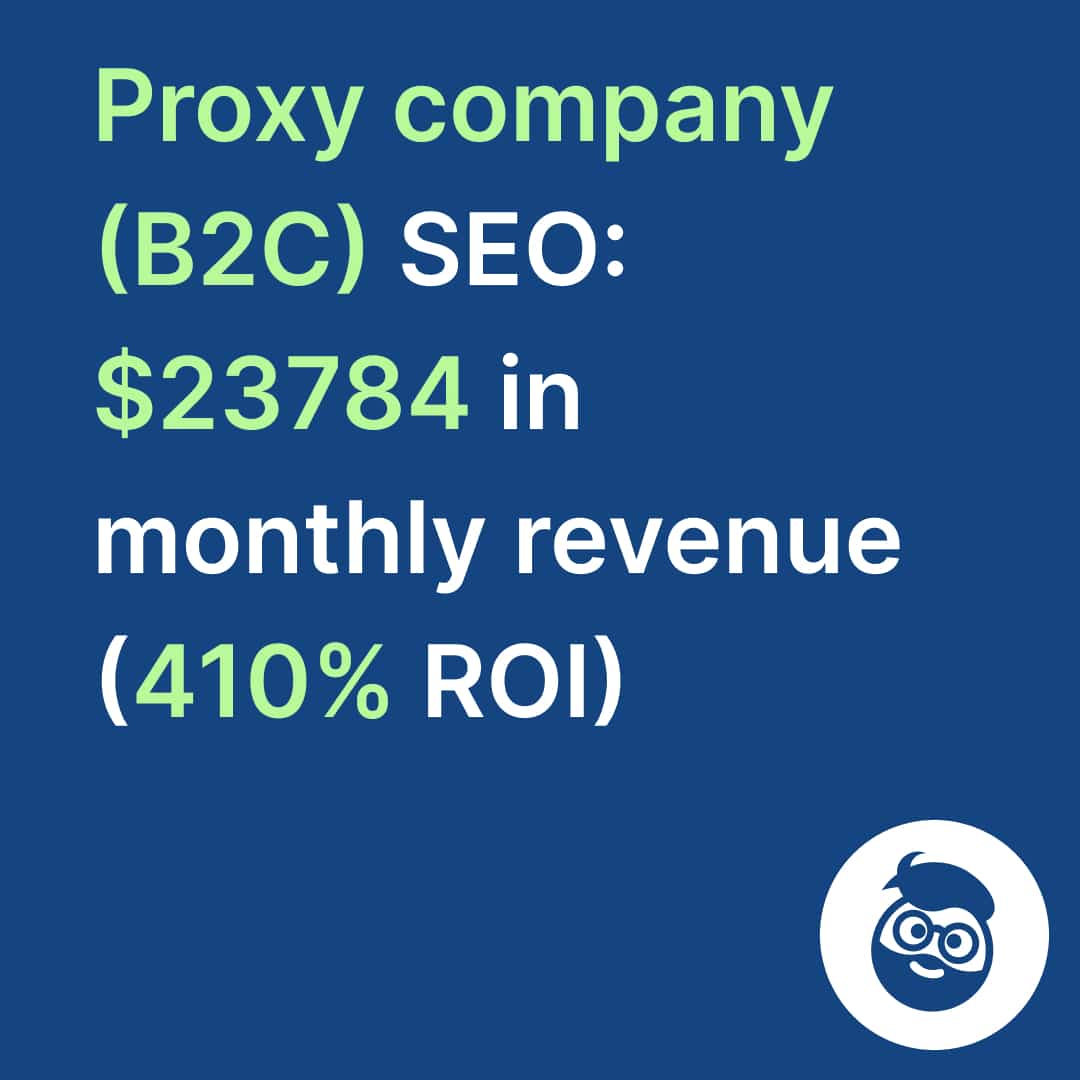
The ten faults above are the checklist. Running them properly on a real site — separating the mismatches that matter from the ones that don’t, and sequencing fixes by revenue impact — is where a structured audit earns its keep. That’s what a full-scale professional SEO audit delivers, and it’s the diagnostic foundation of ongoing technical SEO services. If you’d rather see the outcome first, the proxy-selling case study shows what fixing the structural layer produced: $23,784 in monthly revenue at 410% ROI. Book a call and we’ll tell you which of these ten is costing you the most.