Onely ran an experiment in 2024 that should end the debate about JavaScript. They built two identical sets of pages — one linked in plain HTML, one linked with JavaScript-injected internal links — and measured how long Googlebot took to reach each. The first HTML page was crawled in 25 hours. The first JavaScript-linked page took 52 hours. By the third page in the chain, the JavaScript version had waited 164 hours against three hours for the HTML equivalent. Same content. Same site. A 9x difference in discovery speed, caused entirely by how the links were rendered.
That gap is what a tech SEO checklist exists to find. Most SEO problems aren’t content problems — they’re infrastructure problems, and they stay invisible until rankings quietly stop compounding. A canonical points to a redirected URL. A template ships a noindex to 4,000 product pages after a plugin update. A JavaScript navigation block hides half your internal links from the first crawl wave. None of it shows up in a content audit. All of it costs revenue.
- Sale!


SEO Content Audit
Original price was: 1999,00 €.1799,00 €Current price is: 1799,00 €. Select options - Sale!
Search Rankings and Traffic Losses Audit
Original price was: 3500,00 €.2999,00 €Current price is: 2999,00 €. Select options - Sale!
Full-Scale Professional SEO Audit
Original price was: 5299,00 €.4999,00 €Current price is: 4999,00 €. Select options
This checklist is drawn from the technical audit mastersheet SEOBRO uses across full-scale SEO audits. Work through it in order — crawl access first, signal consolidation second, presentation layer last. That sequence matters, and the closing section explains why.
Why Technical SEO Decides Whether Everything Else Pays Off
Technical SEO governs how your website functions as a machine. Content optimization decides what you say; link acquisition decides who vouches for you; technical SEO decides whether search engines can access, render, and correctly interpret any of it. When this layer breaks, the damage compounds rather than adding up. A misconfigured canonical routes link equity to a URL that shouldn’t rank. An inconsistent HTTPS setup manufactures duplicate content at scale. Each fault looks minor in isolation. Stacked, they erode the crawl efficiency that sustainable rankings depend on.
Google’s December 2025 documentation update raised the cost of these faults. On December 18, 2025, Google clarified that pages returning non-200 HTTP status codes may be excluded from the rendering queue entirely. A single-page application that serves a 200 OK shell and then loads a “404” component via JavaScript now risks having that error state indexed as a valid page. The inverse breaks too: serve a proper 404 header but rely on client-side JavaScript to render helpful recovery content, and Googlebot may never process that content at all.
Run a full technical audit quarterly for most sites. Audit monthly if you publish at high frequency or run large e-commerce inventory. Always audit immediately after a migration, CMS change, or major template update — these events introduce the highest rate of unintentional regressions.
1. Website Structure Checks
Structural consistency is the prerequisite for everything downstream. Before auditing any individual element, confirm your site resolves to one canonical protocol and one subdomain — every time, from every entry point.
WWW vs. non-WWW. Your site must canonicalize to a single preferred version, either www.example.com or example.com, and enforce it universally. Check that internal links reference only the default, that non-default variants 301-redirect to the canonical version, and that your preferred domain is confirmed in Google Search Console.
HTTP vs. HTTPS. Every page must serve over HTTPS. Internal references to HTTP URLs create mixed-content warnings and dilute crawl signals. Audit for internal links pointing to HTTP versions, non-HTTPS resources loaded on HTTPS pages, and missing 301s from HTTP to HTTPS across all entry points.
Robots.txt. This file is your crawl governance document. In 2026 it also decides which AI training bots and retrieval bots can reach your content — a distinction worth setting deliberately rather than by default. Verify that critical directories aren’t accidentally disallowed, that the CSS and JS files Googlebot needs for rendering stay accessible, and that the file validates without errors. A robots.txt block and a noindex are not interchangeable, and confusing them causes some of the most persistent indexing bugs in this checklist — the FAQ below explains the exact failure mode.
2. HTTP Status Code Audit
Status codes tell search engines how to interpret every URL they meet. A status code audit maps your site’s response landscape and surfaces the issues that silently drain crawl budget.
Redirects (3xx). 301 (permanent) redirects pass link equity and are correct for permanently moved content. 302 (temporary) redirects pass equity unreliably — audit for 302s that should be 301s. Redirect chains (A→B→C→D) waste crawl budget and shed equity at every hop; flatten them to single-hop redirects. For a deeper treatment, see the SEOBRO guide on using redirects efficiently for SEO.
Client errors (4xx). 404s should be intentional — either genuinely removed content or pages consolidated via 301. A 410 (gone) signals explicit deletion and speeds removal from the index. Audit for 404s sitting on internally linked pages and 403s that may be blocking crawlers from content that should be public.
Server errors (5xx). 5xx responses on crawled URLs push those URLs out of the rendering queue. Monitor the Search Console Pages report weekly for 5xx spikes — they usually surface before the traffic damage shows up in analytics.
Flag three non-standard redirect types as well: JavaScript redirects (not reliably followed — prefer server-side 301s), meta-refresh redirects (pass equity poorly, add crawl delay), and GeoIP redirects (can block Googlebot, which crawls primarily from US IPs, from reaching localized pages).
3. URL Structure
URL architecture shapes crawl efficiency and how well search engines infer page context from the path itself.
Trailing slash consistency. Pick one pattern, /page/ or /page, and enforce it with 301 redirects. Inconsistency produces two crawlable URLs for every page.
Case sensitivity. URLs are case-sensitive on most servers. /Page and /page are two distinct URLs. Enforce lowercase in every internal link and redirect uppercase variants.
Underscores vs. hyphens. Google reads hyphens as word separators and underscores as joiners that fuse two words into one token. Use hyphens in all slugs.
Parameterized URLs. Parameter-driven URLs like /product?id=12345&color=blue generate duplicate content at scale. Canonicalize every parameter variant to the clean URL.
Malformed URLs. Spaces encode as %20 and create fragile links. Audit for spaces, double slashes, and illegal characters across internal links.
4. Canonicals
Canonical tags tell Google which version of a page should accumulate ranking signals. Mismanaged canonicals cause some of the most expensive equity loss on large sites, and they’re among the hardest faults to diagnose because the damage spreads thin across thousands of URLs instead of breaking one page visibly.
Work through this list on every indexable template:
- Every indexable page carries a self-referencing canonical.
- Paginated pages self-canonicalize — they do not point to page 1.
- Filter, sort, and session-ID parameter variants canonicalize to the clean URL.
- No canonical points to a URL returning a non-200 status. Google treats that as a broken signal and falls back to its own judgment.
- No canonical points to a
noindexpage. A non-indexable page can’t be a valid canonical target. - No page carries conflicting canonical tags. Check both the
<link rel="canonical">in the HTML head and any HTTP-header canonical. - Chained canonicals — A points to B, B points to the real page — get flattened to direct references.
Google treats canonicals as hints, not directives, which is why the underlying crawl and link signals usually matter more than the tag itself. The FAQ covers what makes Google ignore a canonical outright. For a full walkthrough, SEOBRO’s canonicalization audit checklist runs through all thirteen points.
5. Pagination
Pagination creates structural complexity most audits underweight. Every page in a paginated series is a crawl decision Googlebot has to make, and JavaScript-only pagination controls or inconsistent canonicals multiply the problem.
Confirm that paginated pages are crawlable and not blocked by robots.txt, that all paginated URLs are reachable through standard <a href> anchors rather than JavaScript-only controls, and that paginated pages self-canonicalize instead of pointing to page 1. Infinite-scroll implementations need a parallel static paginated URL structure Googlebot can reach without executing JavaScript — test it by disabling JavaScript in dev tools and confirming the secondary result sets still load.
6. JavaScript Rendering
JavaScript is where technical SEO complexity has escalated hardest, and the Onely experiment from the opening is the reason to take it seriously. Googlebot processes JavaScript pages in two phases: it crawls the raw HTML first, then queues the page for rendering in headless Chromium, where scripts finally execute and the full DOM appears. Rendering is expensive, so the queue introduces delay. Google’s own 2019 figure put the median crawl-to-render delay at roughly five seconds — but independent measurement tells a harder story. Onely found that, depending on the sample, 5–50% of newly added pages still had JavaScript content unindexed two weeks after being added to the sitemap. Anything that depends on rendering has indexing lag built into its architecture.
Audit these points:
- Measure what percentage of your content and internal navigation is JavaScript-rendered.
- Load key pages with JavaScript disabled. Anything that disappears is invisible to the first crawl wave and waits on the render queue — which can run days behind.
- Compare raw HTML source (View Source) against the rendered DOM (DevTools). Links or content that appear only in DevTools depend on JavaScript execution.
- Confirm primary navigation is server-rendered. JavaScript-only navigation links don’t pass PageRank reliably.
- Use the URL Inspection tool in Search Console to see exactly what Googlebot renders for a given URL.
For content that carries commercial weight or needs to rank quickly, server-side rendering is the structurally correct choice — not a nice-to-have. Akruto, a downloadable-software client, is a case where getting the technical foundation right preceded a 700% increase in sales and 400% in subscriptions. Rendering architecture is exactly the kind of foundation that makes content investment pay.
7. Hreflang (International Sites)
Hreflang errors are hard to diagnose and disproportionately damaging, and they’re also stunningly common. A Search Engine Land study analyzing NerdyData’s database found that 31% of international websites carry conflicting hreflang directives and 16% are missing self-referencing tags entirely — two mistakes that can invalidate an entire cluster. A single broken return tag doesn’t just affect one pair of pages; Google may drop the hreflang signal for the whole set.
Showing 1–3 of 5 resultsSorted by popularity
- Sale!

White Label SEO Audit
Original price was: 5299,00 €.4999,00 €Current price is: 4999,00 €. Select options - Sale!
SEO Content Audit
Original price was: 1999,00 €.1799,00 €Current price is: 1799,00 €. Select options - Sale!
Search Rankings and Traffic Losses Audit
Original price was: 3500,00 €.2999,00 €Current price is: 2999,00 €. Select options
Validate against this list:
- Every hreflang tag pairs a valid ISO 639-1 language code with an ISO 3166-1 country code —
en-GB, neveren-uk. - Every URL referenced returns a 200 status.
- All URLs in a cluster reference each other. Reciprocal hreflang is mandatory; Google ignores one-way declarations.
- An
x-defaultis specified as the fallback for unmatched language or region. - Each regional URL’s canonical points to itself, not to the default-language version.
- Implementation location is consistent — check the HTML
<head>, HTTP headers, and XML sitemap for conflicting signals across all three.
Getting the fundamentals right here puts you ahead of most competitors before you publish a word of localized content. SEOBRO’s international SEO service exists for exactly the sites where these errors compound across thousands of URLs.
8. Internal Links
Internal linking is how PageRank flows through your site, and how you signal topical relationships between pages — the structural mechanism behind topical clusters and compounding organic equity.
- Crawl depth. Key commercial and editorial pages should sit within three clicks of the homepage. Pages at depth 4+ get crawled significantly less often.
- Low inbound counts. Pages with fewer than three to five internal links pointing in receive minimal equity and may be deprioritized in crawl.
- Orphaned pages. Zero internal links means zero PageRank and possible non-discovery. These are the highest-priority fix.
- Anchor text. Non-descriptive anchors (“click here”, “learn more”) waste a chance to pass topical relevance. Replace them with descriptive, keyword-relevant text.
- Links to redirects and 404s. Internal links pointing at redirect URLs waste a hop; point them at the final destination. Links to broken resources get repaired or removed.
- Excessive outlinks. Pages with 500+ outbound links dilute per-link equity — audit for accidental link silos.
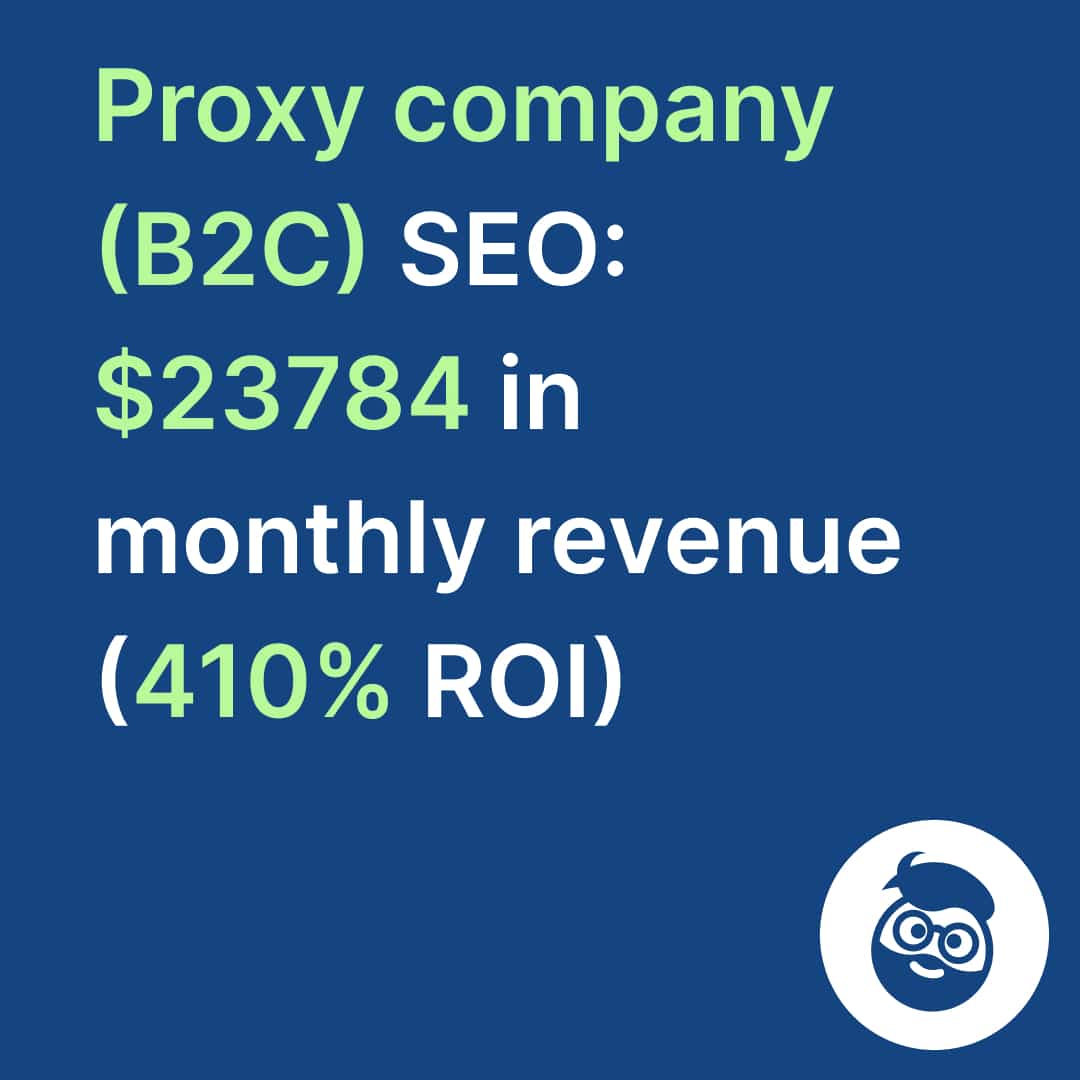
This is one of the highest-leverage sections in the checklist. A proxy-selling client reached $23,784 in monthly revenue at 410% ROI on a campaign where internal link architecture did much of the structural work.
9. Crawl Directives
Directives control indexability and link-following at the page level. Misconfigured directives cause some of the most common unexplained ranking losses, because they’re set at the template level and can hit thousands of pages at once.
noindex, follow: excluded from the index, links still crawled. Right for paginated pages, filtered URLs, and thin content you want crawled for link discovery but not indexed.index, nofollow: indexed, outbound links not followed. Rarely correct — review any page carrying it.noindex, nofollow: excluded and links not followed. Correct for staging, admin, and private pages. Never applied to production content by accident.- Directive conflicts. Meta-robots and HTTP-header directives can contradict each other; the more restrictive one wins. Audit both sources per template.
Cross-reference the Search Console Pages report against your intentional exclusion list quarterly to catch template-level accidents before they cost a quarter of traffic.
10. Structured Data
Structured data connects your content to Google’s Knowledge Graph and is the primary technical signal behind entity-based optimization. Schema tells search engines not just what a page says but what it means. In 2026 it also affects citation eligibility in AI Overviews — pages with clean, validated schema are more legible to AI retrieval systems.
- Validate all markup through Google’s Rich Results Test and the Schema.org validator.
- Audit for structured-data errors in the Search Console Enhancements reports — errors suppress rich-result eligibility.
- Use JSON-LD; it’s Google’s preferred format and easier to maintain than Microdata or RDFa.
- Implement Organization schema sitewide to establish your brand as a named entity.
- Match markup type to page content (Article, Product, FAQ, LocalBusiness, BreadcrumbList). Incorrect schema type is worse than none.
- Keep product price, availability, and review markup accurate to the visible page. Google suppresses rich results for misleading markup.
Structured data isn’t a confirmed direct ranking factor, but it drives rich-result eligibility and entity disambiguation — both of which affect outcomes that are. The FAQ addresses this directly.
11. Meta Signals
Meta tags govern how your title presents, how your heading structure reads, and how well your declared intent matches what search engines display.
Title tags should be present on every page, unique across the site, and inside 50–60 characters before SERP truncation. When Google rewrites your title, treat it as a signal of mismatch between your declared title and the page’s content signals.
Header tags: one H1 per page, aligned semantically with the title. H2–H6 build hierarchy. Audit for multiple H1s, missing H1s, and headers used for visual styling instead of structure.
CMS-specific debt. Identify your platform with BuiltWith or Wappalyzer and research its known failure modes. WordPress, Shopify, Drupal, and custom builds each carry characteristic technical debt — plugins and themes can inject canonical conflicts, duplicate meta tags, or accidental noindex directives after an update. Audit after every significant CMS change.
Frequently Asked Questions
Q: How often should I run a full tech SEO audit? Quarterly for most sites. Monthly for high-frequency publishers, enterprise e-commerce, and sites in active development, or run continuous crawl monitoring through scheduled crawls in Screaming Frog or Sitebulb. Always audit immediately after a migration, CMS update, or major structural change — those events introduce the highest rate of regressions.
Q: What’s the difference between a robots.txt block and a noindex directive? A robots.txt block stops Googlebot from crawling a URL — the page is never fetched. A noindex is a crawled signal: Googlebot fetches the page, reads the directive, and drops it from the index. The critical trap is that Google can’t read a noindex on a page it isn’t allowed to crawl. Block a page in robots.txt and add a noindex, and the noindex may never be processed — so the page can stay indexed far longer than you intend. If you want a page out of the index, let Google crawl it.
Q: What causes Google to ignore a canonical tag? Google treats canonicals as hints, not commands. They’re commonly ignored when the canonical points to a non-200 URL, contradicts the hreflang cluster, conflicts with strong internal-link signals pointing elsewhere, or when multiple canonicals exist on one page. Fixing the underlying equity and crawl signals usually matters more than the tag.
Q: How do I audit JavaScript SEO issues without developer access? Use the URL Inspection tool in Search Console to see the rendered HTML Googlebot receives, then compare it against the raw HTML in View Source (not DevTools). Anything present in DevTools but absent from View Source depends on JavaScript execution and is subject to render-queue delay. That comparison alone surfaces most JS visibility problems.
Q: Is structured data a direct ranking factor? No — it isn’t a confirmed direct ranking signal in Google’s documentation. But it drives two things that are: rich-result eligibility, which affects click-through rate, and entity disambiguation, which affects how confidently Google associates your content with a topic. In 2026 it also influences citation selection in AI Overviews. The compounding advantage is real even without direct ranking credit.
Run the Audit, Then Prioritize by Impact
A complete tech SEO checklist surfaces issues across a wide severity spectrum, and not everything demands immediate action. Fix in this order: crawl access first (robots.txt errors, 5xx codes, JavaScript-blocked navigation), then signal consolidation (canonical conflicts, hreflang mismatches, redirect chains), then the presentation layer (meta tags, structured-data errors, title truncation). The sequence isn’t arbitrary. A page Googlebot can’t crawl gains nothing from perfect schema, and consolidating equity onto a URL that returns a 5xx is wasted effort.
The most valuable output of a technical audit isn’t the error list. It’s a clear picture of where your information architecture is leaking equity. Fix the leaks. Then build content and links on a foundation that will actually hold them.
- Sale!
SEO Content Audit
Original price was: 1999,00 €.1799,00 €Current price is: 1799,00 €. Select options - Sale!
Search Rankings and Traffic Losses Audit
Original price was: 3500,00 €.2999,00 €Current price is: 2999,00 €. Select options - Sale!
Full-Scale Professional SEO Audit
Original price was: 5299,00 €.4999,00 €Current price is: 4999,00 €. Select options
If you’d rather not run all eleven sections by hand — or you’ve run them and want a second set of eyes on what’s actually costing revenue — SEOBRO’s Full-Scale Professional SEO Audit works from the same mastersheet this checklist is drawn from, and the Technical SEO service turns the findings into fixes tied to leads and sales rather than a longer list of errors. Book a call and bring your worst crawl report.